Theme Console Configuration Guide
astro-whono provides a local Theme Console for centrally managing theme-level configuration in a development environment.
The Theme Console lives at /admin/theme/. It mainly covers site info, the sidebar, the homepage, inner-page copy, and a few reading and code-display options, so you can quickly adjust site theme settings after forking or cloning.
Development environment
/admin/theme/ is only available in the development environment. In production it shows only a local-development notice and provides no editing.
Local startup and entry
When developing locally, start the project with:
npm install
npm run dev
By default the dev server runs at http://localhost:4321/. After it starts, open:
http://localhost:4321/admin/theme/If you changed the dev port, replace 4321 with your actual port.
/admin/ is the backend Site Overview entry, used to view a site snapshot. The Theme Console lives at /admin/theme/ — note the difference between these two entries.
Development and production environments
The Theme Console is a configuration tool for local maintainers. Its behavior across environments:
- Development environment:
/admin/theme/can read and save theme configuration - Production environment:
/admin/theme/keeps only a local-development notice and shows no editable forms /api/admin/settings/: available only in the development environment; not a public API
Scope
The Theme Console currently handles the following kinds of configuration:
- Site title, default language, and default SEO description
- Footer year and copyright copy
- Whether the
/admin/overview is shown to visitors, and the copy shown when off - Social links and their order
- Sidebar site name, quote copy, navigation order, and visibility
- Sidebar action icons (reading mode / RSS / theme switch / site overview entry)
- Homepage hero, home intro, and the home intro’s inner entries
- Titles and subtitles for
/essay/,/archive/,/bits/,/memo/, and/about/ - Article meta display options
- Code block line numbers
Configuration files
Saved settings are written, grouped, into src/data/settings/:
src/data/settings/
  site.json
  shell.json
  home.json
  page.json
  ui.json
If
src/data/settings/*.jsondoes not exist yet, it is generated automatically the first time you save in/admin/theme/.
The Theme Console manages the theme configuration inside the repository, so changes can still be tracked and rolled back through Git.
Theme configuration is read in a fixed order: src/data/settings/*.json first, then legacy configuration, then project defaults. The “legacy configuration” here mainly comes from site.config.mjs and default constants inside components.
In other words, right after cloning you can use the default configuration; once you save in the Theme Console once, a trackable settings JSON is generated.
Page grouping
/admin/theme/ is currently split into five groups by editing scene.
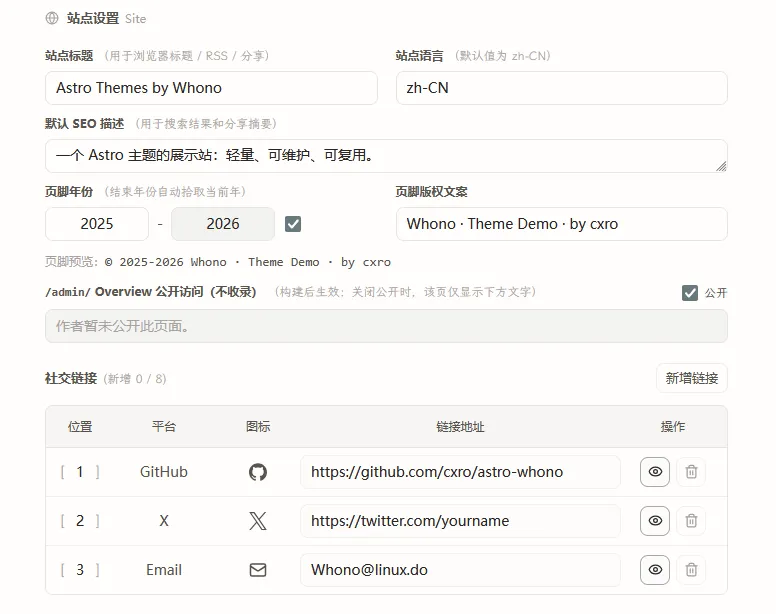
Site
Site handles site-level basics:
- Site title
- Default language
- Default SEO description
- Footer year and copyright copy
- Whether the
/admin/overview is shown externally, and the copy shown when off - Social links
Sidebar
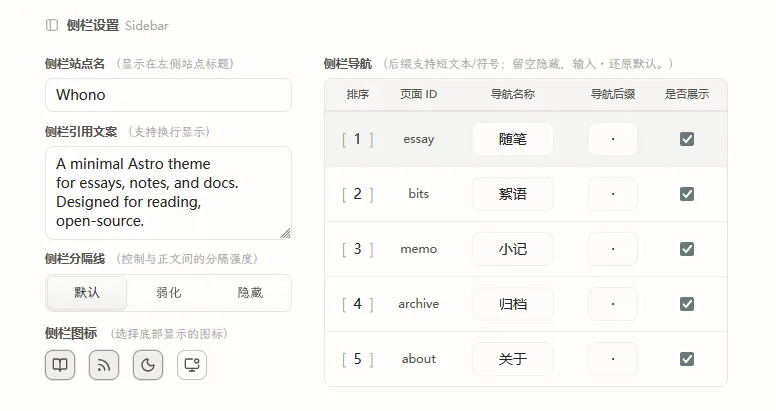
Sidebar handles shell and navigation configuration:
- Sidebar site name
- Sidebar quote copy
- Sidebar divider style
- Show/hide sidebar action icons (reading mode / RSS / theme switch / site overview)
- Navigation name, order, suffix characters, and visibility
Home
Home handles homepage display configuration:
- Hero image URL and description
- Hero reveal
- Home intro lead copy
- Home intro supplementary copy
- The primary and secondary links in the intro
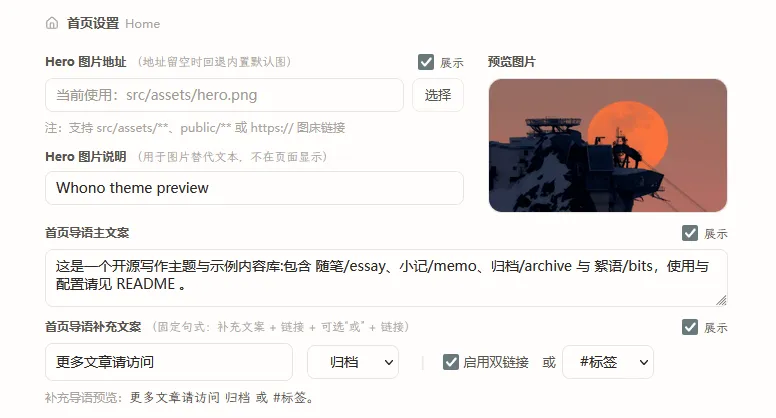
The home intro supplementary copy uses a fixed sentence pattern; the backend only exposes copy and entry selection, to keep the homepage structure as stable as possible. The currently selectable entries are archive, essay, bits, memo, about, and tag.
Inner Pages
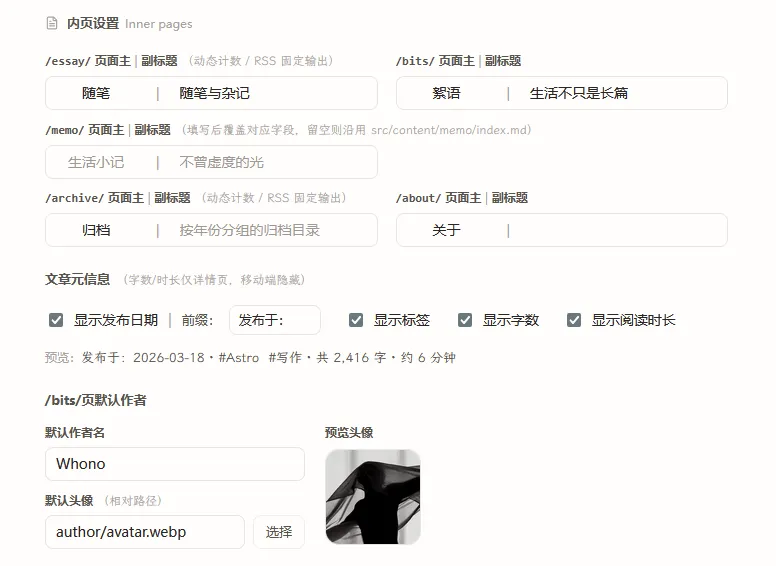
Inner Pages handles unified copy and display strategy at the inner-page level:
/essay/page title and subtitle/archive/page title and subtitle/bits/page title and subtitle/memo/page title and subtitle/about/page title and subtitle- Whether article meta shows date, tags, word count, and reading time
/bits/default author name and avatar
Code
- Whether to show line numbers in code blocks
Save mechanism
- The save button writes back to the
site / shell / home / page / uigroups; it does not modify template source code directly - Most fields offer instant preview or a clear page correspondence
- Fields are validated before saving
- Version info is attached on save, to avoid silent overwrites from concurrent edits
- The write process rolls back on failure, avoiding a half-written multi-file state
The above covers the Theme Console’s commonly used configuration entries and save mechanism. If you run into configuration anomalies or save issues, please open an Issue.